


Quillbot: AI Writing Assistant
4.5244.00 Reviews
App Specs
- Version
- 4.11.0
- Updated On
- License
- Free
- Downloads
- 5,000,000+
- Developer
- QuillBot
- Categories
- Productivity
- Platform
- Android, iOS
Screenshots
 Analysis by AppCompare
If you want help turning rough writing into something clearer, QuillBot: AI Writing Assistant is one of the more approachable productivity apps I have tried. It brings paraphrasing, grammar checking, translation, AI chat, and AI-detection tools into one mobile workspace, so it can be useful when I am writing on a phone rather than sitting in front of a full desktop editor. I would describe it as a writing companion, not a replacement for judgment: it can improve a draft quickly, but I still need to decide whether the result sounds like me and whether the meaning has stayed intact.
The app is made by QuillBot and is available free of charge, with optional in-app purchases ranging from about twenty dollars to one hundred dollars per item. It belongs to the productivity category, has an Everyone age rating, and runs on Android seven or later. Its average rating is 4.5 from around twenty-two thousand ratings, while the app has passed five million installs. Those figures suggest that it has found a broad audience, but popularity does not remove the need to check every rewritten sentence before using it in school, work, or anything important.
What to expect when you open the writing assistant
My first impression is that QuillBot works best when I already have something to improve. It is not a blank-page writing course, and it does not magically know the exact voice I want without guidance. The useful starting point is a sentence, paragraph, email draft, note, or translated passage that needs attention. I can then use the tool that matches the problem instead of asking one feature to do everything.
That separation matters. Paraphrasing is useful when my wording feels repetitive or too close to a source, while grammar checking is better when the ideas are already mine and I only want cleaner sentences. Translation serves a different purpose again, and AI chat is more suitable for brainstorming or asking for an explanation. Treating these as separate jobs gives more predictable results than pasting every problem into the same box.
The app’s store summary presents it as an advanced AI writer, but I would approach that promise carefully. The strongest experience comes from short, specific tasks: make this paragraph more concise, suggest a clearer version, explain this grammar issue, or help me find a natural translation. Broad requests can produce text that sounds polished while quietly changing emphasis. The safest workflow is to use QuillBot as an editor beside your own thinking, not as an invisible author.
It is particularly handy for people who write in a second language, students organizing notes, job seekers refining application material, and anyone who often drafts messages on a mobile screen. It is less compelling for a writer who already has a trusted desktop editor, needs deep document formatting, or wants complete control over every revision without AI suggestions. In those cases, a conventional word processor may feel calmer and more transparent.
Getting through the first setup
After installing it, I would begin with a small, low-stakes piece of writing rather than an important report. A short message or a paragraph from personal notes makes it easier to understand how the app presents changes. The current version is 4.11.0, and the Android requirement is version 7.0 or newer, so checking compatibility before planning a workflow is sensible.
Worth Reading Before You Choose

EA SPORTS FC Mobile 26 Is a Bigger Football Game, but It Takes Time

Flipboard Shows What News Apps Must Do Beyond the Feed

Switching to Android Auto Means Rethinking Your Driving Routine

Google Calendar Makes a Crowded Week Easier to Manage

Ludo King Makes the Most of the Minutes Between Plans

Baby Panda World Brings Quick Play to Modern Phones, but Its Game Library Feels Busy
My advice is to decide what you want before opening a tool. If the sentence is grammatically correct but awkward, start with paraphrasing. If the wording is already right but contains errors, use grammar checking. If you are unsure how to say something in another language, use translation first and then read the result as a human sentence. This small decision prevents one of the most common frustrations: repeatedly rewriting text when the real issue is that the wrong feature was chosen.
I would also prepare to compare the original and revised versions manually. Keep the source visible, especially when the writing contains names, dates, technical terms, instructions, or a careful opinion. AI rewriting often improves rhythm by changing a word that seemed minor but actually carried the meaning. A quick side-by-side check takes less time than repairing a misunderstood sentence later.
The free entry point makes it reasonable to test this process before paying. However, the presence of optional purchases means I would not assume every useful capability is available without limits. I would first find out whether the free experience covers my normal tasks, then decide whether a paid option is worthwhile. For occasional proofreading, paying may be unnecessary; for frequent writing across several needs, the convenience could matter more.
Your first meaningful success
A practical first exercise is to paste a paragraph that is too long and ask for a clearer version. Before accepting anything, read the result in three passes. First, check whether the central point is still present. Second, look for changes in tone: a friendly note can become stiff, while a firm request can become strangely soft. Third, compare names, quantities, and conditions with the original. This turns the first use into a reliable editing habit rather than a blind copy-and-paste.
For example, imagine I have written a message to a colleague explaining that I need more time because two tasks overlap. I would not ask the app to “write anything.” I would give it the existing message and aim for a concise, polite version. If the rewrite removes the reason for the delay or makes the request sound like an excuse, I would keep the original structure and borrow only a useful phrase. That is where the app saves time: it gives me alternatives to evaluate.
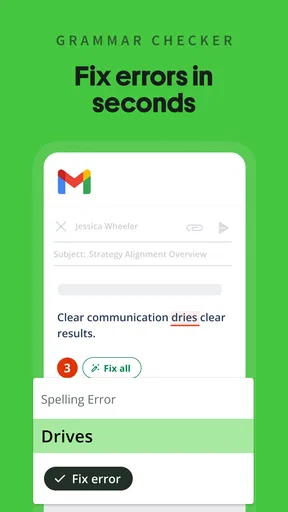
Grammar checking can produce a different kind of success. Instead of changing the whole paragraph, I can use it after finishing a draft and treat its suggestions as a final inspection. This is especially helpful when I have written quickly on a phone, where small errors are easy to miss. I prefer this order because rewriting first can introduce new mistakes, while checking an already settled draft keeps the scope under control.
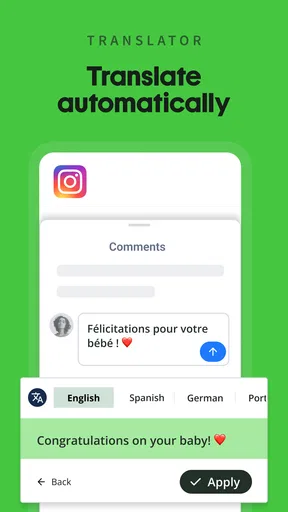
Translation is most dependable in a two-step workflow. I would translate a short passage, then translate or explain the result back in my own words to see whether the intent survived. This is not about distrusting every sentence; it is about noticing cultural tone, formality, and ambiguous expressions. A literal-looking result may be understandable but unsuitable for a customer, teacher, or official message.
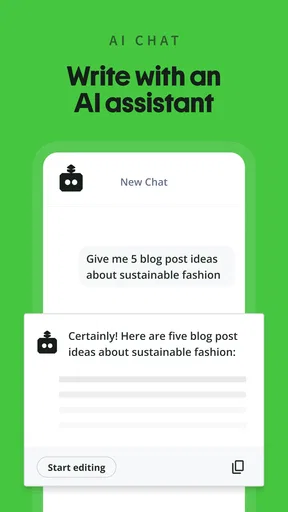
AI chat is useful when I have a question around the writing rather than a finished passage to edit. I might ask for possible outlines, a simpler explanation of a difficult idea, or several ways to approach a topic. I would then use the response as a planning board and write the final version myself. That approach is more valuable than asking for a complete answer and accepting it without checking, especially when accuracy or originality matters.
Where first-time users can get confused
The biggest confusion is often the difference between paraphrasing and correcting. A paraphraser may change sentence structure and vocabulary even when the grammar is fine. A grammar tool may leave the style mostly alone because its job is narrower. When I want to preserve my voice, I begin with the smallest intervention and only move to broader rewriting if the draft genuinely needs it.
Another point of friction is the meaning of “better.” A smoother sentence is not automatically a better sentence. QuillBot can make text sound more formal, direct, or natural, but the preferred choice depends on the reader. A message to a friend, a university assignment, a support request, and a business proposal should not all sound identical. I get better results when I specify the intended audience and then remove any wording that feels unlike me.
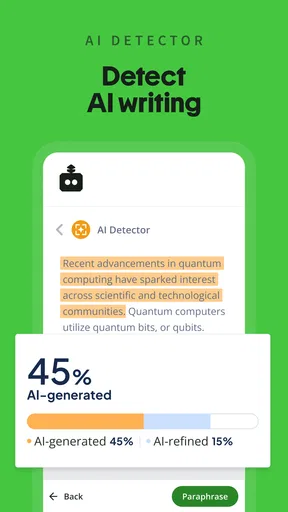
The AI detector also deserves careful handling. I would treat it as a signal for reviewing writing patterns, not as a final verdict about who wrote a passage. Detection can be influenced by style, language ability, and how heavily a text has been edited. If a teacher, employer, or publisher is involved, the responsible response is to keep drafts and understand the applicable rules rather than relying on a detector score alone.
There is also a temptation to keep pressing the paraphrase option until the sentence sounds impressive. That can create a gradual drift from the original idea. My practical limit is to compare each major revision with the source and stop when clarity improves. More changes are not automatically more useful, and a simple sentence is often stronger than an elaborate one.
Workflows that make the app more useful
One effective workflow is a three-stage pass for essays or reports. I first write the ideas without trying to make every sentence perfect. I then use grammar checking to catch surface problems, followed by selective paraphrasing for passages that repeat themselves or feel difficult to read. Finally, I read the entire piece without the app’s suggestions. That last pass restores human judgment and helps me notice transitions that look fine individually but do not work together.
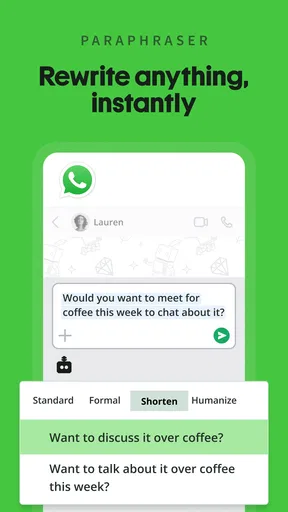
A second workflow is valuable for mobile communication. I can draft a long message in ordinary language, shorten it with paraphrasing, and then inspect whether the request or next action is still obvious. This is more useful than asking for a generic “professional” rewrite because it preserves the purpose of the message. I would keep greetings and personal details myself, since those are often where an automated rewrite loses warmth.
For multilingual work, I would separate meaning from polish. First, translate the essential information. Next, check names, dates, and instructions against the original. Then use grammar or paraphrasing only in the target language if the sentence needs a more natural tone. Combining translation and rewriting in one vague request makes it harder to identify where an error entered the process.
AI chat can also help before writing begins. I might ask it to turn a broad subject into questions I should answer, then use those questions as an outline. This is a less obvious use than generating prose, but it keeps ownership of the content with me. It is particularly helpful when I know the topic well but cannot decide how to structure the first page.
For students, the app is best used as a learning aid. When a grammar suggestion appears, I would ask why the original was changed instead of accepting it automatically. For language learners, comparing two paraphrases can reveal differences in formality and word choice. Used this way, the app does more than polish a submission; it helps build a personal editing instinct.
Who should use it, and who should skip it
I would recommend trying QuillBot if you regularly write emails, assignments, applications, captions, or notes and often know what you want to say but struggle with wording. It is also a good fit for people who switch between languages or need quick alternatives while working from a phone. The combination of writing, grammar, translation, chat, and detection tools is convenient when these needs appear in the same week.
I would be more cautious if your work depends on specialist terminology, legal precision, medical instructions, or confidential material. In those situations, every automated change needs close review, and a dedicated professional editor or approved workplace tool may be a better choice. The app can improve readability without guaranteeing that a technically exact meaning has survived.
Writers who want a distraction-free, offline-first drafting environment may also prefer a normal notes app or word processor. QuillBot adds value when I want suggestions, but suggestions can interrupt the flow of original writing. I often find it better to draft elsewhere or finish a thought before opening the assistant, rather than stopping after every sentence.
Compared with a standard grammar checker, this app offers a wider range of writing help in one place, especially when paraphrasing and translation are part of the same task. Compared with a general chatbot, its writing-focused tools make editing more direct. A traditional editor still wins for long documents, detailed formatting, citation management, and a completely manual process. The right choice depends less on which product sounds more advanced and more on whether I need revision ideas or precise document control.
The next step after the first successful edit
Once the basic workflow feels comfortable, I would create a personal rule for each tool. For example, grammar checking is for final cleanup, paraphrasing is for selected sentences, translation is followed by a meaning check, and AI chat is for planning rather than automatic submission. These boundaries reduce accidental over-editing and make the app faster to use because I am no longer experimenting with every feature at once.
I would also keep a small record of recurring mistakes. If the app repeatedly flags the same grammar pattern, I can learn the rule instead of fixing that error forever. If paraphrasing often makes my writing too formal, I can use fewer changes and preserve more of my original wording. This turns the assistant into feedback rather than a permanent crutch.
QuillBot was released on October 20, 2023, and its current mobile offering is built around a broad set of AI writing tasks rather than one narrow editing function. That breadth is its main appeal, but it also means the experience rewards users who know what they are trying to accomplish. The more specific my request and the more carefully I review the result, the more useful the app becomes.
My final view is positive, with an important condition: I recommend it for guided revision, not unquestioned replacement of personal writing. It can help me move from a rough paragraph to a clearer one, find a more natural expression, organize an idea, or inspect a translation without opening several unrelated tools. I would skip the paid commitment until the free experience proves that the workflow fits my habits, and I would always keep the original beside any important rewrite.
If you are a first-time user, start with one short paragraph, choose one purpose, and compare every meaningful change. That simple beginning is enough to show whether the app genuinely saves you time. For me, its best quality is not that it writes everything instantly; it is that it gives me practical alternatives when I am stuck, while leaving the final decision in my hands.
Pros
- Paraphrasing modes help adjust wording for different writing styles.
- Grammar checking catches common mistakes while you type.
- Synonym suggestions make it easy to fine-tune individual words.
- Works well for polishing drafts
- emails
- and short assignments.
- Simple interface makes core writing tools quick to access.
Cons
- The free plan limits paraphrase options and daily usage.
- Some rewrites can change the original meaning or lose important context.
- Advanced features require a paid subscription.
- AI-generated text may sound repetitive without manual editing.
- Privacy concerns may matter when submitting sensitive or confidential text.
FAQs for Quillbot: AI Writing Assistant
What is QuillBot: AI Writing Assistant used for?
QuillBot is an AI-powered writing and rewriting tool designed to help users improve, rephrase, summarize, and check written content. During testing, it was useful for polishing emails, essays, notes, social media posts, and professional documents. It can suggest alternative wording and adjust the tone or clarity of text, but users should still review every result to ensure the meaning, facts, and personal writing style remain accurate.
Is QuillBot: AI Writing Assistant free to use?
QuillBot offers free features, but access is limited compared with its premium subscription. Free users can generally use core rewriting and writing tools with restrictions on text length, available modes, or advanced functions. Premium access may unlock additional paraphrasing styles, larger limits, and extra tools. Before downloading or subscribing, check the current pricing and plan details shown in the Android or iOS app store.
Can QuillBot write complete essays, emails, or other documents for me?
QuillBot can help generate, rewrite, summarize, and improve sections of text, making it useful when you need ideas or a clearer draft. However, it should not be treated as a replacement for your own judgment or original work. AI-generated content can contain incorrect information, awkward phrasing, or unintended changes in meaning. Always edit the output, verify important claims, and follow your school or workplace rules regarding AI assistance.
Does QuillBot support grammar checking, summarizing, and translation?
Besides paraphrasing, QuillBot includes several writing-focused functions that may help with grammar, spelling, summaries, and other language tasks, depending on the platform and subscription level. These tools are convenient for reviewing text quickly on a mobile device. Nevertheless, automated suggestions are not perfect, especially with specialized terminology, context, or nonstandard writing. Carefully compare the suggested version with your original before accepting changes.
Is QuillBot safe for private or confidential writing?
You should be cautious when entering sensitive information into any cloud-based AI writing service, including QuillBot. Avoid submitting passwords, financial details, private client records, confidential business documents, or personal information that does not need to be processed. Review the app’s current privacy policy, permissions, account settings, and data-handling terms before use. For confidential work, consider removing identifying details or using an approved organizational tool instead.


